Someone on your team writes a brilliant prompt, gets a brilliant result, ships it, and then it disappears forever. Tomorrow, someone rebuilds a worse version from scratch.
Why isn’t AI making your team faster over time?
Because individual speed doesn’t compound into team gains unless the wins are captured. Most teams treat prompts as disposable keystrokes instead of reusable assets. The result: you paid for the upside and left it on the floor. Each person is a bit quicker; the organization is exactly as smart as it was last month.
What is a Prompt Library?
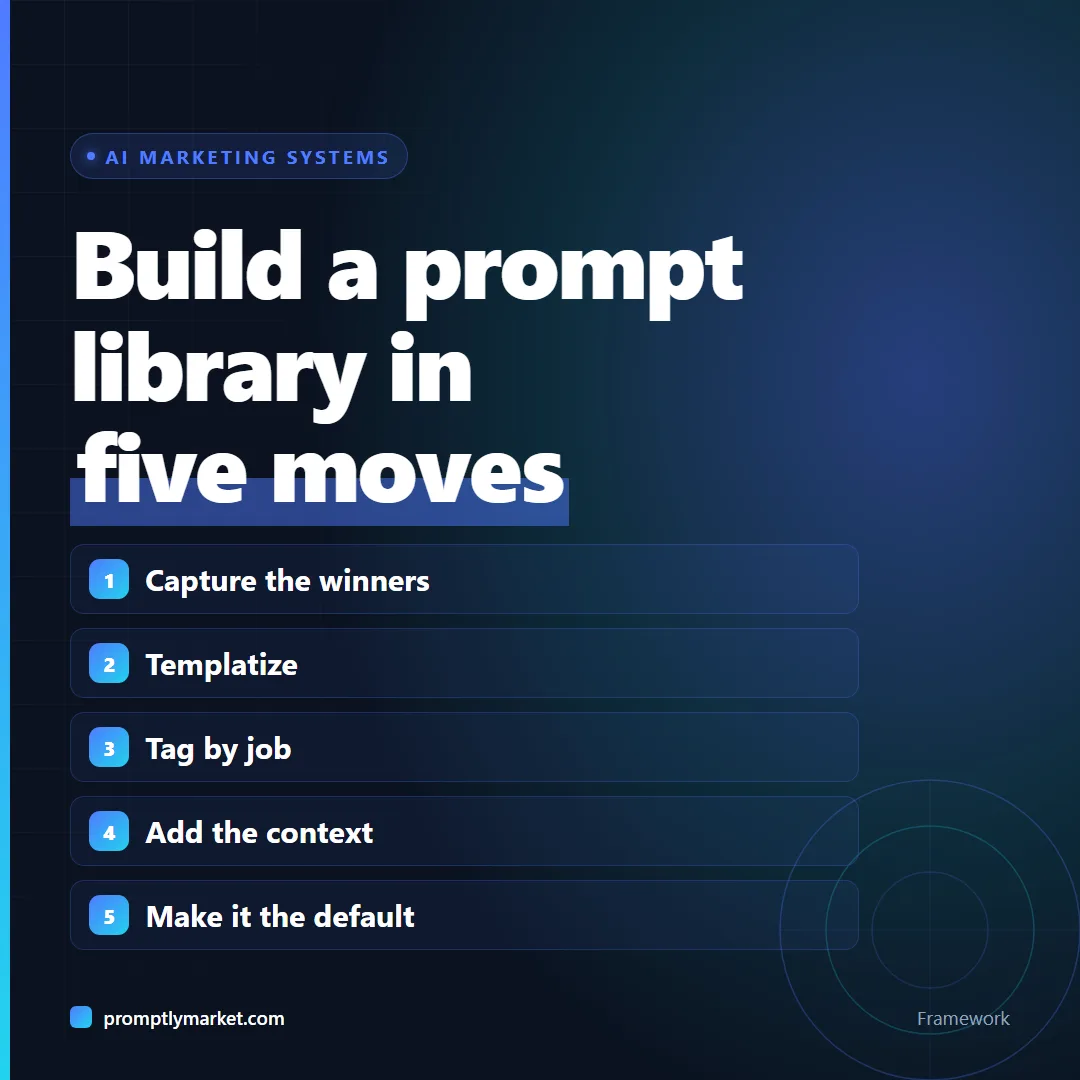
A Prompt Library is a shared, organized collection of your proven prompts, templatized so anyone can reuse them. Building one has five steps:
- Capture the winners. Make a rule: when a prompt produces something you actually shipped, it goes in the library, not the trash.
- Templatize. Replace the specifics with [brackets]: [audience], [product], [tone]. Now it’s reusable, not a one-off.
- Tag by job-to-be-done. Organize by task (write a brief, repurpose a post, analyze reviews), not by tool. Tools change; jobs don’t.
- Add the context. For each prompt, note what good output looks like and the one input that makes or breaks it.
- Make it the default. New work starts from the library, not a blank box. Put it where the work happens.
Where should it live?
Anywhere shared and searchable. A Notion database with a “Job,” “Prompt,” and “Example output” column beats a fancy tool nobody opens. The system matters more than the software.
What does one library entry look like?
Here is a worked example of the five steps applied to a single prompt. Say someone on your team used AI to pull themes out of a batch of customer reviews, and the summary ended up in a real campaign brief. That prompt earns a place in the library.
Before (the one-off): “Read these 40 reviews of our meal kit and tell me what people love and hate.”
After (the library version):
You are analyzing customer reviews for [product]. Our audience is [audience]. Read the reviews below and return: first, the three things customers praise most, each with one direct quote; second, the three most common complaints, each with one direct quote; third, any phrase customers use that we never use in our own copy. Keep it under 300 words. Reviews: [paste reviews]
Then the entry gets its supporting fields, the same columns you would set up in a shared database:
| Job | Analyze customer reviews |
| Prompt | The template above |
| Good output looks like | Six themes, each backed by a real quote, plus a short list of customer phrases |
| Make-or-break input | At least 20 real reviews pasted in full. Summaries of reviews give summaries of summaries. |
| Last reviewed | The date of the most recent quarterly check |
Notice what changed. The brackets make it reusable for any product. The numbered output makes results comparable from one run to the next. The “make-or-break” note saves the next person from the most common way it fails. This is the same thinking behind the Consumer Insight Loop, where review analysis feeds every later step.
Three mistakes that kill a library
- Saving everything. If every prompt goes in, nobody can find the good ones. Only prompts that produced shipped work qualify.
- No example output. A prompt without a sample of what good looks like cannot be judged, so nobody trusts it.
- Organizing by tool. A folder called “ChatGPT prompts” goes stale the day the team switches tools. A folder called “Analyze reviews” never does.
Run a short review every quarter: re-test the ten most-used prompts, update the example output where the model now does better, and archive anything nobody has opened.
The takeaway
A prompt used once is a task. A prompt library is a system, and systems are how a small team punches above its headcount.
Frequently Asked Questions
How many prompts before it’s worth it? Start at one. The habit matters more than the count.
Won’t prompts go stale as models improve? Some will, review quarterly. The job-to-be-done tags outlive any model.
What is a prompt library? A shared, searchable collection of prompts that have already produced work you shipped, templatised so anyone can reuse them. The distinction that matters is proven versus merely saved: a library of untested prompts is just clutter.
Where should a prompt library live? Anywhere shared and searchable that your team already opens. A plain database with columns for the job, the prompt and an example of good output beats a dedicated tool nobody logs into. The system matters more than the software.
Should I organise prompts by tool or by task? By task, every time. Tools get replaced and models get deprecated. The jobs stay the same, so a library organised around jobs survives changes that would otherwise force you to reorganise it.
Who should maintain the prompt library? Whoever is doing the work, with one person responsible for the quarterly review. A library that only one designated owner may add to stops growing, and a library nobody prunes fills with prompts that no longer work.
What should a prompt library entry include? Five fields: the job it does, the templated prompt, an example of good output, the one input that makes or breaks it, and the date it was last reviewed. Without the example output, nobody can tell whether a new result is good or bad.
How do I get my team to actually use the library? Make it the starting point for new work rather than an optional extra. Put the link where the work begins, such as the brief template or the project board, and add every newly shipped prompt the same week so the library keeps proving its value.
Get the templates behind these systems
The free starter kit has a template for each stage of the AI Content Engine, plus the audit to find your weakest link first. Everything else on the site is free to read, no email needed.